
Get $20 off your purchase - again and again
Fuel up at BurgerFuel and earn 1mpb (miles per burger) for every dollar spent! Clock 200 mpb to get 20 Burger Bucks added to your Club Goods Dashboard, ready for your next visit!

Score hook ups and Club Goods on us
When you sign up, we’ll take you on a tour of our menu, with sweet offers dropping in your dashboard every couple of weeks, plus hook ups all year round!
Exclusive News - straight to your inbox
Get access to epic prize draws and keep updated on all the latest burger banter, new menu drops and info on your VIB Club rewards.
Sign in
Log in when ordering online, or scan your in-app member ID at the till.
Earn Miles per Burger (mpb)
Accumulate mpb with each purchase to earn Burger Bucks and redeem Club Goods, found in your Club Goods Dashboard in the app.
Enjoy Rewards
Fuel up, clock up and get hooked up!
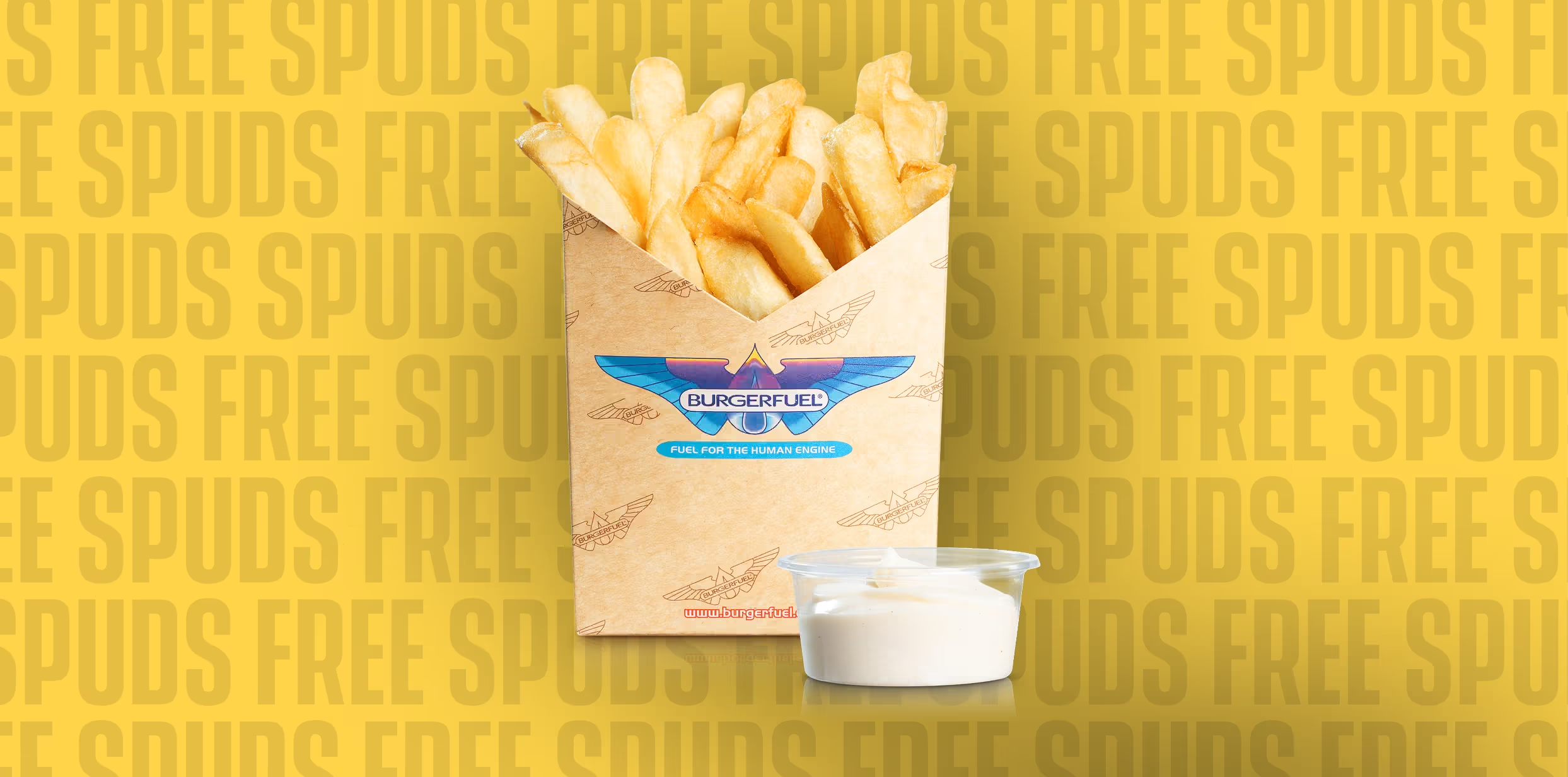
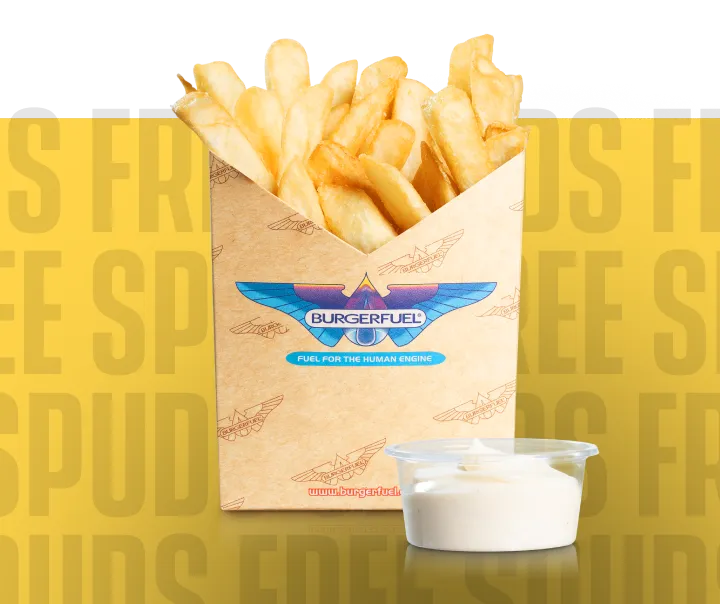
Welcome Offer - Free Spuds!
When you join, we’ll instantly hook you up with our delectably crunchy, golden Spud Fries served up with our addictive free range BurgerFuel Aioli* and take you on a delicious tour of our menu with 5 bi-weekly offers.* Valid with any large burger purchase.
.avif)
Frequently asked questions
Read our T&Cs and Privacy Policy below for a comprehensive overview of our VIB Club programme.
VIB Club
How to redeem your VIB Club Goods
Online Journey:
1. Order via the VIB Club app or eat.burgerfuel.com
2. Select 'USE VIB CLUB GOODS' to apply to order
3. Follow the pop-up prompt & proceed to checkout
4. Complete your purchase & earn mpb
In-Store Journey:
1. Let staff member know you're a VIB Club member & order
2. Scan your member ID when prompted
3. Choose from available Club Goods to apply to order.
4. Complete your purchase and earn mpb
How do I score my VIB Club Birthday hook up?
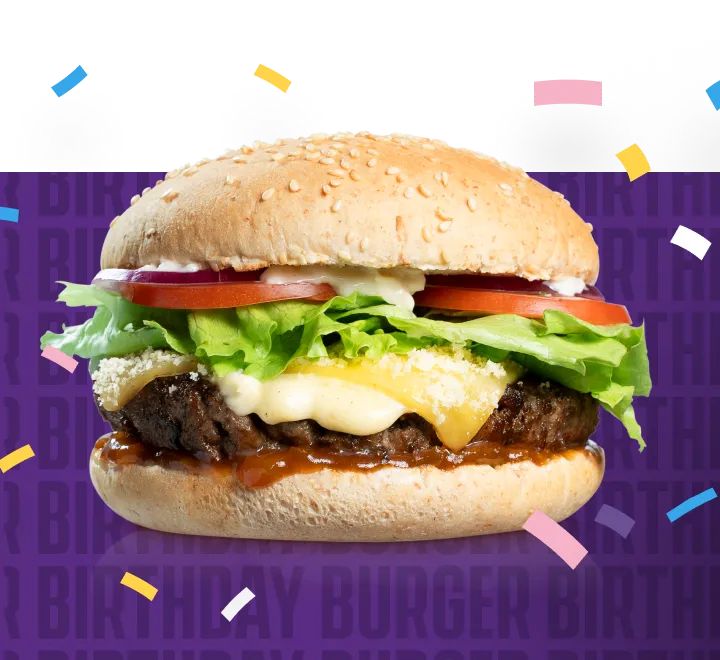
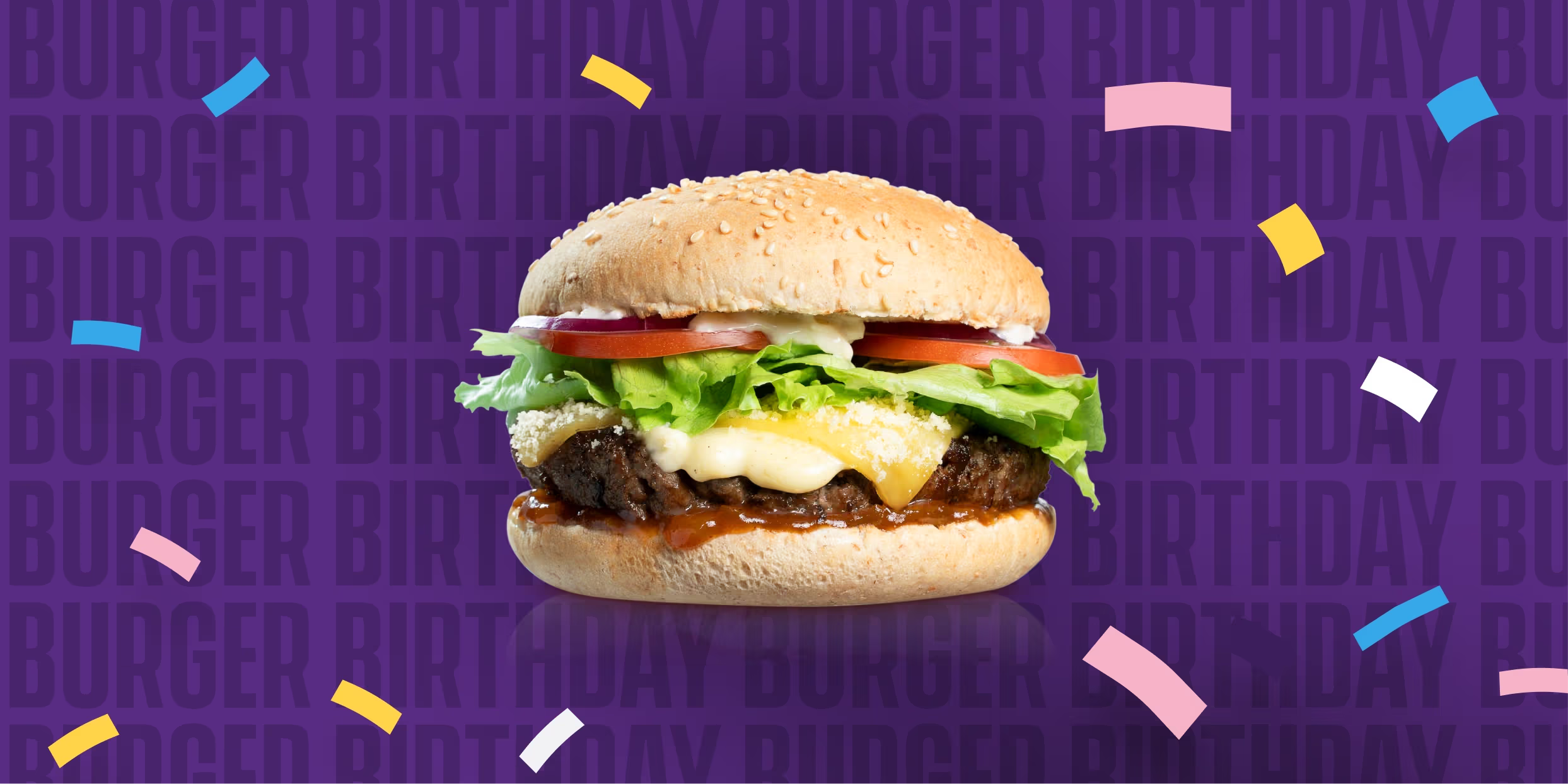
To get a birthday hookup you must be an active VIB Club member and must have entered your correct date of birth on the registration form when you signed up 24 hours before your birthday (no signing up on the day of your b'day sorry!).
How do I make sure I am an active VIB Club Member?
To make sure you are an active VIB Club member (24 hours prior to your birthday), sign in to your online ordering account, navigate to your My Account Page, then Notifications Page, and ensure you are toggled on via the 'opt in to our loyalty programme' option. Or, you can do this via the app and navigate to your My Account Page, select 'UPDATE' and ensure you have ticked the 'Sign up to BurgerFuel VIB Club' option.
How do I add my date of birth?
To add your date of birth, head to ‘My Account’ on your App and select ‘Update’ and enter in the ‘Birthday’ field. If you have entered the incorrect birthday into the field or wish to do so via your Online Ordering account, please contact info@burgerfuel.co.nz and let us know. Please include a valid form of identification (drivers licence or passport) and we can update your details for you.
Where can I find my VIB birthday hook up?
On the day of your birthday, if you are an active member and your birthday details have been entered correctly, your VIB birthday hookup and all associated T&Cs will appear in your Club Goods dashboard in the app, or via the pop up window when ordering online. Make sure you are opted in for emails and you've enabled push notifications on your mobile so you don't miss out! The offer is valid until the close of business that same day, excludes specials and modifications and is single use only. Staff may ask to see a valid ID (included in offer T&Cs). BurgerFuel reserve the right to change or discontinue this offer at any time.
For the T&Cs associated with this offer head HERE.
Will I be able to use my Burger Bucks or VIB Goods if I order in store and don't have my phone/member ID with me?
Yes, just give your phone number, full name and date of birth to our crew member at the till and they can look you up in the system and apply your available Burger Bucks or Club Goods before you complete your purchase. They may ask for additional information like an email address, or your favourite colour... so we know you're really you!
Can I redeem a physical BurgerFuel voucher and use a VIB Club offer/ Club Goods at the same time?
No, all BurgerFuel offers are not valid with any other offer, so only one can be used at a time. This includes VIB Club Goods, Burger Bucks, physical vouchers and any other general BurgerFuel offers and vouchers.
Do I get money or points back if I don't spend the full 20 Burger Bucks amount?
Nope, sorry Burger Bucks must be taken in full. No cash back or mpb back.
When I earn my $20 Burger Bucks, what happens to my points?
Your points will go back to zero, ready for you to start earning again.
I have multiple $20 Burger Bucks, can I use them all in one order?
No, Burger Bucks are single use only and one can be redeemed per transaction.
What if I change my mind and want to use a different Club Good voucher, but I've already completed my purchase?
Sorry, once the transaction is complete, your chosen Club Goods voucher would have been applied to your order and will now be archived as redeemed in your Dashboard. If there was a mistake at the till, you can contact us at info@burgerfuel.co.nz with all the details and a copy of your receipt and, once we’ve confirmed with the store, we can apply your lost Club Goods voucher back to your Dashboard.
Can I gift mbp or Club Goods to my mate who's also a member?
Not at this stage, BUT, check out our ‘INVITE YOUR MATE’ incentive. You get hooked up, your mate gets hooked up – it’s a win, win.
How do I unsubscribe from VIB Club Marketing emails and/or push notifications?
To unsubscribe or turn off notifications:
- Email: Click the unsubscribe link at the bottom of any VIB Club email.
- In the app: Go to Account > Update, uncheck "Sign up to BurgerFuel VIB Club", then tap UPDATE.
- On the website (eat.burgerfuel.com): Open the menu > My Account > Notifications, and turn off email notifications.
- Push notifications: Use your mobile settings to turn off push notifications for the app.
How do I delete my VIB Club account?
To delete your VIB Club account, tap ‘Delete my account’ at the bottom of the My Account page in the app.
Note: This will not delete your BurgerFuel online ordering account.
If you’d like to delete that as well, just email us at info@burgerfuel.co.nz and we’ll take care of it for you.
Troubleshooting
I can't sign up or log in because I never receive my SMS verification code. What do I do?
No code? No worries. Let’s try a few things to get you back into your VIB Club account:
1. Check your ad blockers. If you have any ad blockers enabled on your device or home network, try temporarily switching them off. They maybe interfering with the verification process.
2. Get up to date. Make sure your phone's software and the BurgerFuel app are both running the latest available versions. Check out the instructions below (see ‘How do I update my devices software?’ and ‘How do I update the app?’) if you need a hand.
To Note: Some older devices can't update to newer operating systems. If your phone is running software that's no longer supported by the BurgerFuel VIB Club app (Android 7 or earlier and iOS 14 or earlier), you may experience technical issues that our team can't resolve (in this instance, we recommend ordering via eat.burgerfuel.com on your desktop or mobile and signing up/in to enjoy your loyalty benefits.
3.Check your mobile number. Make sure you're entering your number starting with O2.
4.Give the website a go. Try signing up or logging in at eat.burgerfuel.com/order using your phone or a web browser like Chrome or Safari. See if your SMS verification code comes through that way.
5. Still no luck? You have the option to resend your verification code via email. If you're still stuck, get in touch with our team so we can investigate.
Need a hand?
Scroll to the bottom of this page to contact us. To help us get to the bottom of things, please include:
- Your device model and software version (e.g. iPhone SE, iOS 16.7)
- Your mobile network provider (e.g. 2degrees)
We'll take it from there.
I am trying to Login, but it keeps telling me I need to Sign up
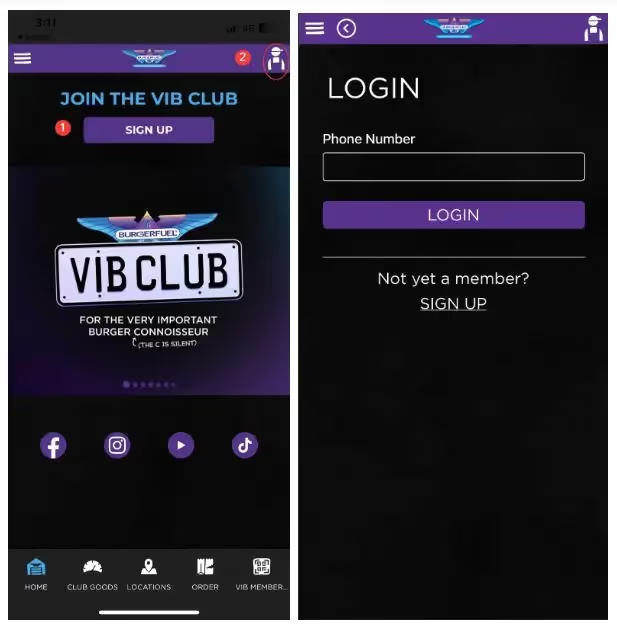
We have had a number of customers who have not been able to see the linkto login on the sign-up page.
- We have updated the app and now you are taken straight to the LOGIN page when you select SIGN UP on the home page,
- or click on the top right-hand profile/member icon to go straight to the LOGIN page.
- If you are still having trouble, please refresh your app and ensure it is on the latest app version (see ‘How do I update the app?’ below) and try to login again.
-
The app won't load on my phone
1. Please ensure the app has also been updated to the latest version as we are consistently updating the app to make adjustments and improvements. Please refer to ‘How do I update the app?’ below.
2. Please also check that your device has been updated to the latest software version (see ‘How do I update my devices software?’ below).
3. Refreshing the app can help to reset and even turning off your phone and turning it on again, will help clear the cache (yep, the old turn it off and on again trick).
4. We've found that occasionally, the most effective solution for resolving a technical glitch is to uninstall the app and then reinstall it.
To Note: Some older devices can't update to newer operating systems. If your phone is running software that's no longer supported by the BurgerFuel VIB Club app (Android 7 or earlier and iOS 14 or earlier), you may experience technical issues that our team can't resolve (in this instance, we recommend ordering via eat.burgerfuel.com on your desktop or mobile and signing up/in to enjoy your loyalty benefits).
I can't download the app
Check your App Store settings; the BurgerFuel VIB Club App is only available in New Zealand for download.
How do I update the app?
Keeping your BurgerFuel VIB Club app up to date helps everything run smoothly. Here's how to make sure you've got the latest version.
iPhone (iOS 14 or later)
1. Open the App Store on your iPhone.
2. Tap your profile picture or account icon in the top-right corner.
3. Scroll down to see available app updates, or pull down torefresh the list.
4. Find BurgerFuel VIB Club and tap Update.
5. Follow any on-screen prompts if required.
6. Can't see BurgerFuel VIB Club in the updates list? Search for the app directly in the App Store. If the button says Open instead of Update, you're already running the latest available version.
7. If you need a hand, visit Apple Support.
If you experience any issues, visit Apple Support.
Android (Android 7 or later)
1. Open the Google Play Store on your device.
2. Search for BurgerFuel VIB Club.
3. Select the app from the search results.
4. Tap Update if an update is available.
5. Or head straight to the BurgerFuel VIB Club app on Google Play.
Can't see the Update button? If the button says Open, you're already running the latest available version for your device.
Still having trouble? Some older devices can't update to newer operating systems. If your phone is running software that's no longer supported by the BurgerFuel VIB Club app (Android 7 or earlier and iOS 14 or earlier), you may experience technical issues that our team can't resolve (in this instance, we recommend ordering via eat.burgerfuel.com on your desktop or mobile and signing up/in to enjoy your loyalty benefits).
How do I enable push notifications on my device?
Don't miss out on the good stuff. Turn on push notifications to stay in the loop with BurgerFuel VIB Club updates, offers and more.
iPhone (iOS)
1. Open Settings on your iPhone.
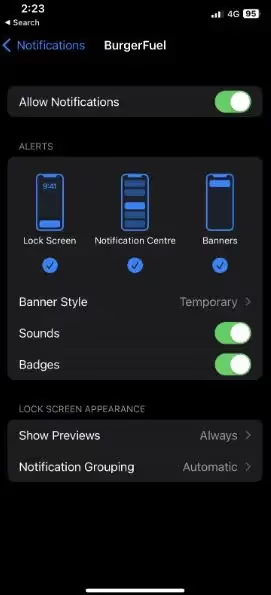
2. Tap Notifications.
3. Scroll down and select BurgerFuel VIB Club from the list of apps.
4. Switch Allow Notifications to On.
5. Choose how you'd like to receive notifications, including on your Lock Screen, in Notification Centre or as banners.
Can't find BurgerFuel VIB Club? On some newer iOS versions, you can also go to Settings → Apps → BurgerFuel VIB Club → Notifications.
For more help, visit Apple Support.
Android
1. Open Settings on your Android device.
2. Tap Notifications.
3. Select App notifications.
4. Find and select BurgerFuel VIB Club.
5. Switch notifications On.
Can't find these settings? Android menus can look a little different depending on your phone. You can also try Settings→ Apps → BurgerFuel VIB Club → Notifications, then switch notifications on.
For more help, visit Android Help.
Still not receiving notifications?
Make sure you've got the latest version of the BurgerFuel VIB Club app installed and check that your phone's Do Not Disturb or Focus settings aren't silencing notifications.
If you're still stuck, get in touch with our team and we'll see what we can do.
How do I update my device software?
Keeping your phone's software up to date helps the BurgerFuel VIB Club app run smoothly. Not sure if you're running the latest version? Here's how to check.
iPhone (iOS)
1. Open Settings on your iPhone.
2. Tap General.
3. Select Software Update.
4. Your iPhone will check for available updates.
5. If an update is available, tap Update Now or Download and Install, then follow the on-screen instructions.
Already up to date? Your iPhone will let you know if you're running the latest software version available for your device.
If you need a hand, visit Apple Support.
Android
1. Open Settings on your Android device.
2. Scroll down and tap System.
3. Select Software updates or Software update.
4. Tap Check for updates if prompted.
5. If an update is available, follow the on-screen instructions to download and install it.
Can't find Software Update? Settings can look a little different depending on your Android device. Try searching for Software update in your phone's Settings.
If you need a hand, visit Android Help.
A couple of things before you update:
· Connect to Wi-Fi to avoid using your mobile data.
· Make sure your phone has plenty of battery or is plugged into a charger.
· Allow some time for the update todownload and install.
To Note: Some older devices can't update to newer operating systems. If your phone is running software that's no longer supported by the BurgerFuel VIB Club app (Android 7 or earlier and iOS 14 or earlier), you may experience technical issues that our team can't resolve (in this instance, we recommend ordering via eat.burgerfuel.com on your desktop or mobile and signing up/in to enjoy your loyalty benefits).
Still stuck? Give us a shout!
If you've tried the troubleshooting tips above and things still aren't playing nice, our team is here to help.
Drop us an email at Vibclub@burgerfuel.com with the following details so we can get to the bottom of it:
1. Your mobile number and email address – the ones linked to your VIB Club account, so we can find you in our system.
2. Your device details – the phone model and software version you're using (e.g. iPhone SE, iOS 16.7).
Before getting in touch, make sure you've also checked that:
· Your BurgerFuel VIB Club app is updated to the latest available version.
· Your device software is as up to date as possible.
Not sure how to update either? Check out our app and device software update instructions above.
We'll do our best to help get you back up and running!